Bubble Pop
Bubble Tap Game
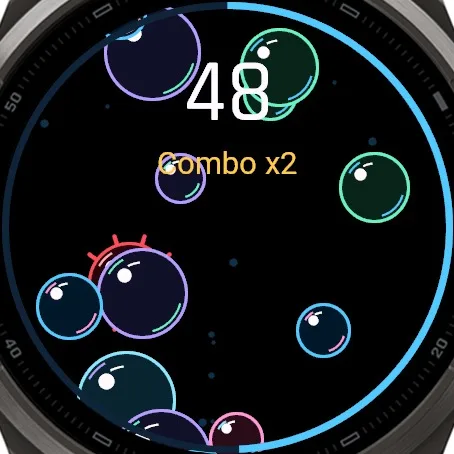
A fast, colorful tap game for Garmin touchscreen watches. Bubbles rise from the bottom of the screen, tap them before they float away. Every pop gives a gentle buzz on your wrist.
One-time purchase in the Connect IQ app on your phone, paid through Garmin. Garmin's payment is not available in every country.
Price in USD. The Connect IQ Store may show it converted to your currency.
Open on your phone
Scan the code with your phone to open Bubble Pop in the Connect IQ Store. You buy and install the game in the Connect IQ app on your phone.
Look closer
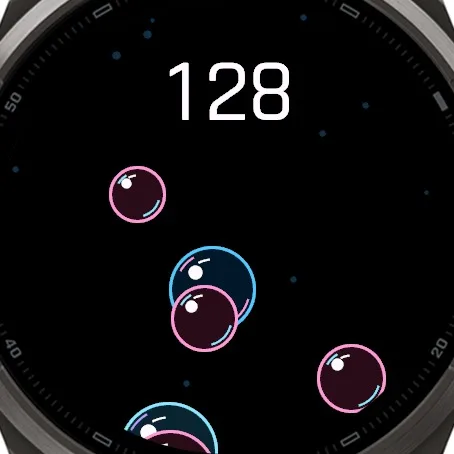
Screenshots from the Garmin simulator.
How to play
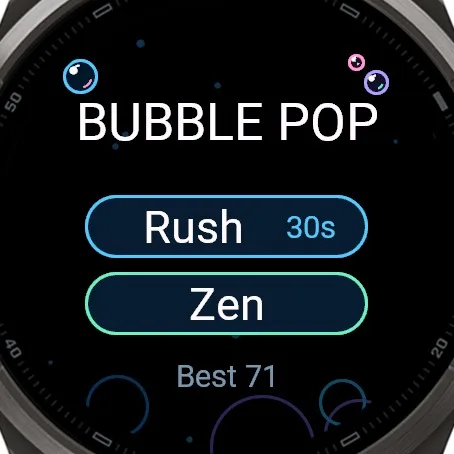
- Open Bubble Pop from your apps list. Tap Rush or Zen. START also starts Rush.
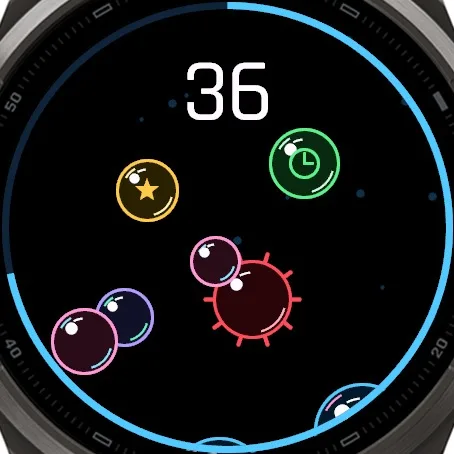
- Tap bubbles. Avoid the red spiky ones.
- BACK during a game returns to the menu, BACK in the menu closes the game.
What it does
- Rush: 30 seconds, bubbles come faster and faster, chase your best score
- Zen: no timer, no pressure, just pop bubbles and relax
- Smaller bubbles score more: 3, 2 or 1 point
- Combo: 5 hits in a row double your points, 12 hits triple them; a miss or an escaped bubble ends the combo
- Gold bubble: 5 points
- Clock bubble: 3 extra seconds (up to 12 per round)
- Spiky bubble: do not touch, it takes 5 points and breaks your combo
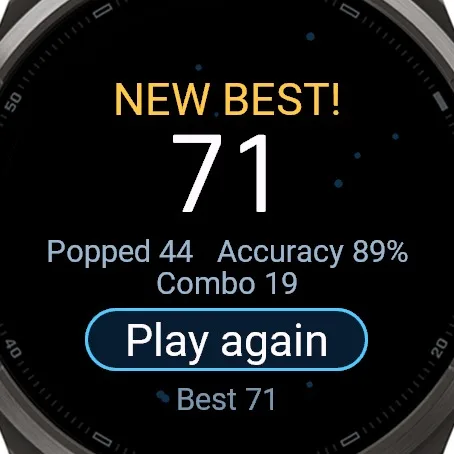
- After each round: score, bubbles popped, accuracy and longest combo; your best score is saved on the watch
- Soap bubble look with rainbow sheen, made for dark AMOLED screens and readable on MIP screens too
- Gentle haptic feedback, can be turned off in the app settings (it also follows your watch vibration setting)
- A notification or another screen pauses the Rush timer
- Works on round and square screens, the layout adapts to every display size
- No internet, no data collected, no ads
- In-game texts in 17 languages
Runs on my watch?
Runs on 80 Garmin watches. Touchscreen watches only.
- Approach S50 AMOLED
- Approach S60 MIP
- Approach S62 MIP
- Approach S70 42mm AMOLED
- Approach S70 47mm AMOLED
- Approach S72 43mm AMOLED
- Approach S72 47mm AMOLED
- Captain Marvel MIP
- D2 Air AMOLED
- D2 Air X10 AMOLED
- D2 Mach 1 AMOLED
- D2 Mach 2 AMOLED
- D2 Mach 2 Pro AMOLED
- Darth Vader MIP
- Descent G2 AMOLED
- Descent Mk3 43mm / Mk3i 43mm AMOLED
- Descent Mk3i 51mm AMOLED
- epix (Gen 2) / quatix 7 Sapphire AMOLED
- epix Pro (Gen 2) 42mm AMOLED
- epix Pro (Gen 2) 47mm / quatix 7 Pro AMOLED
- epix Pro (Gen 2) 51mm / D2 Mach 1 Pro / tactix 7 - AMOLED Edition AMOLED
- fēnix 7 / quatix 7 MIP
- fēnix 7 Pro MIP
- fēnix 7 Pro - Solar Edition (no Wi-Fi) MIP
- fēnix 7S MIP
- fēnix 7S Pro MIP
- fēnix 7X / tactix 7 / quatix 7X Solar / Enduro 2 MIP
- fēnix 7X Pro MIP
- fēnix 7X Pro - Solar Edition (no Wi-Fi) MIP
- fēnix 8 43mm AMOLED
- fēnix 8 47mm / 51mm / tactix 8 47mm / 51mm / quatix 8 47mm / 51mm AMOLED
- fēnix 8 Pro 47mm / 51mm / MicroLED / quatix 8 Pro 47mm / 51mm AMOLED
- fēnix 8 Solar 47mm MIP
- fēnix 8 Solar 51mm / tactix 8 Solar 51mm MIP
- fēnix 9 43mm AMOLED
- fēnix 9 47mm / 51mm AMOLED
- fēnix 9 Pro 43mm AMOLED
- fēnix 9 Pro 47mm AMOLED
- fēnix 9 Pro 51mm AMOLED
- fēnix 9 Pro Solar 47mm MIP
- fēnix 9 Pro Solar 51mm MIP
- fēnix E AMOLED
- First Avenger MIP
- Forerunner 165 AMOLED
- Forerunner 165 Music AMOLED
- Forerunner 170 AMOLED
- Forerunner 170 Music AMOLED
- Forerunner 265 AMOLED
- Forerunner 265s AMOLED
- Forerunner 570 42mm AMOLED
- Forerunner 570 47mm AMOLED
- Forerunner 70 AMOLED
- Forerunner 955 / Solar MIP
- Forerunner 965 AMOLED
- Forerunner 970 AMOLED
- MARQ (Gen 2) Athlete / Adventurer / Captain / Golfer / Carbon Edition / Commander - Carbon Edition AMOLED
- MARQ (Gen 2) Aviator AMOLED
- Rey MIP
- Venu AMOLED
- Venu 2 AMOLED
- Venu 2 Plus AMOLED
- Venu 2S AMOLED
- Venu 3 AMOLED
- Venu 3S AMOLED
- Venu 4 41mm AMOLED
- Venu 4 45mm / D2 Air X15 AMOLED
- Venu Mercedes-Benz Collection AMOLED
- Venu Sq
- Venu Sq 2 AMOLED
- Venu Sq 2 Music AMOLED
- Venu Sq. Music Edition
- Venu X1 AMOLED
- vívoactive 3 MIP
- vívoactive 3 Mercedes-Benz Collection MIP
- vívoactive 3 Music MIP
- vívoactive 3 Music LTE MIP
- vívoactive 4 MIP
- vívoactive 4S MIP
- vívoactive 5 AMOLED
- vívoactive 6 AMOLED
Not in the list? Then the game does not run on your watch.
Questions
Does it work with buttons only?
No, Bubble Pop needs a touchscreen. Touchscreen must be enabled in the watch settings.
Can I turn off the vibration?
Yes, in the Connect IQ app: Bubble Pop / Settings / Vibration.
Does it drain the battery?
It only runs while you play. Close it with BACK.
What's new
- Version 1.0.0 First release.
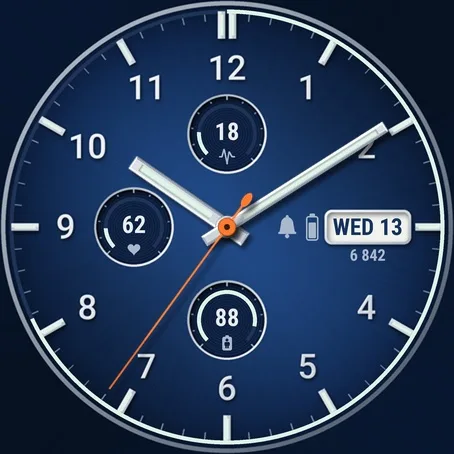
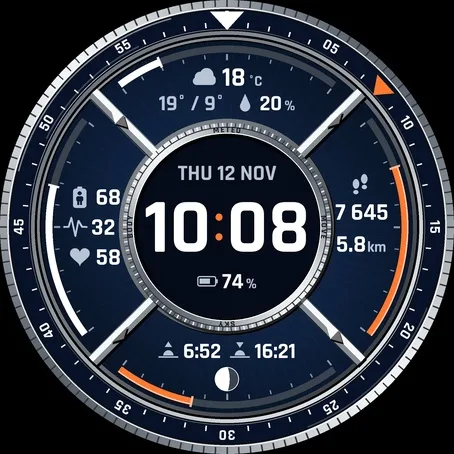
Navy watch faces
Something not working? [email protected]