Navy Windward
Sailing Wind Watch Face
A sailing wind watch face for Garmin AMOLED watches. Wind at a glance: knots, where it blows from on a compass bezel, Beaufort and how old the data is. Four layouts and five material editions in one purchase.
One-time purchase in the Connect IQ app on your phone, paid through Garmin. Garmin's payment is not available in every country.
Price in USD. The Connect IQ Store may show it converted to your currency.
Open on your phone
Scan the code with your phone to open Navy Windward in the Connect IQ Store. You buy and install faces in the Connect IQ app on your phone.
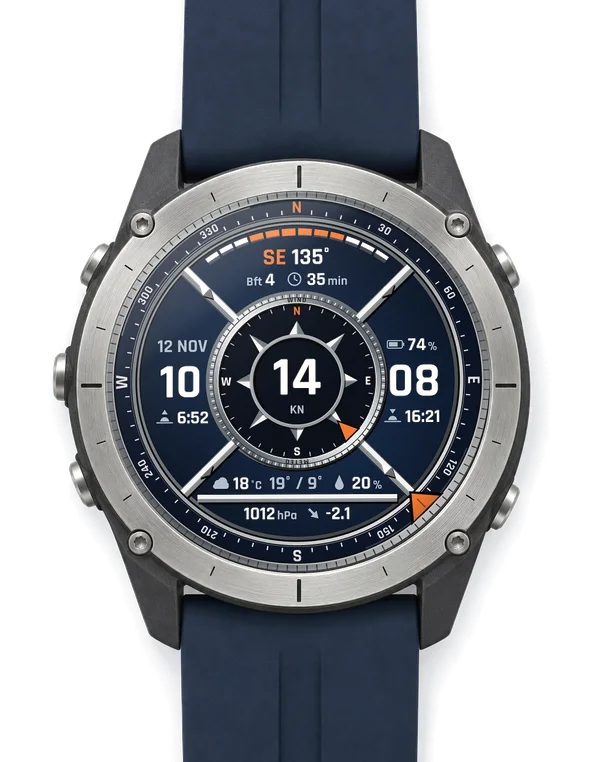
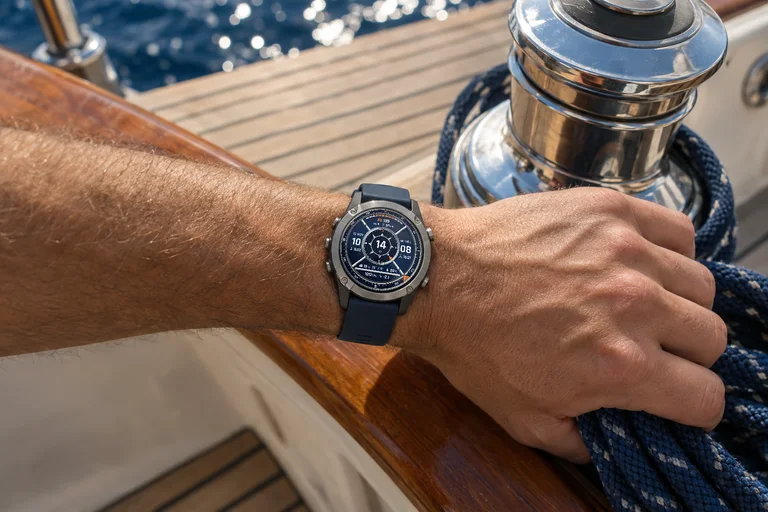
Look closer
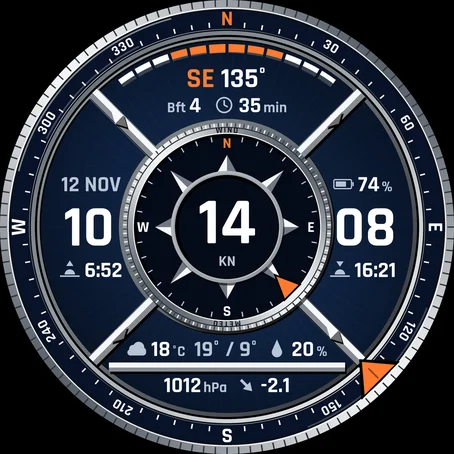

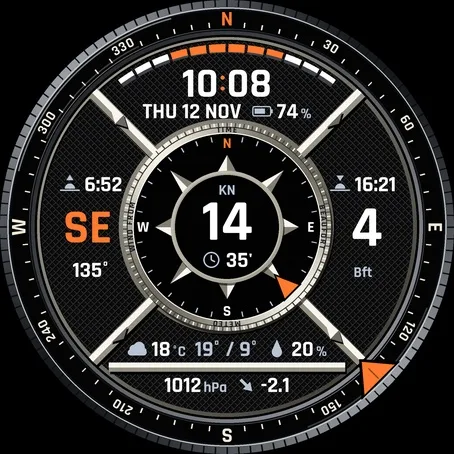
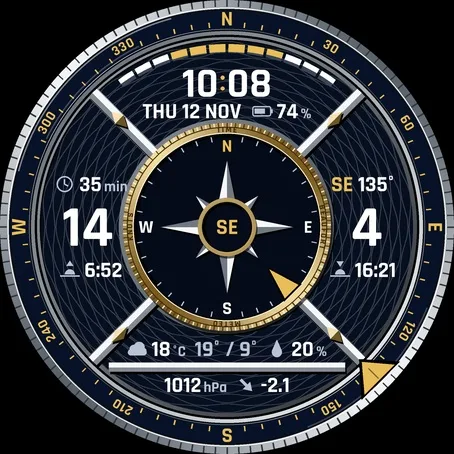
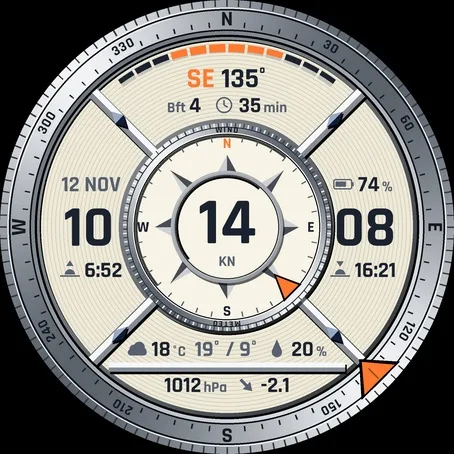
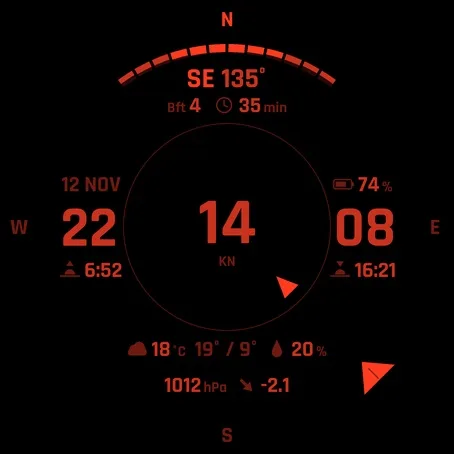
Screenshots from the Garmin simulator.
How to use
Install
- Install the Connect IQ app on your phone and sign in with your Garmin account.
- Search "Navy Windward" in the Connect IQ app, open the face and tap Install (paid faces show the price first).
- Sync the watch in Garmin Connect, then pick the face on the watch in the watch face menu.
How to set it up
- Watches with the Garmin face editor (fenix 8, fenix 9, fenix E, Forerunner 570, Forerunner 970, Venu 4, Approach S72, D2 Mach 2, D2 Mach 2 Pro): touch and hold the time / Customize. Style = layout, Data Color = edition. Everything else is in the Connect IQ app.
- Other watches watch face menu (hold MENU, or on touch watches touch and hold the time) / Navy Windward / settings, everything is there, no phone needed.
- Connect IQ app open the face / Settings / save.
At a glance
What it does
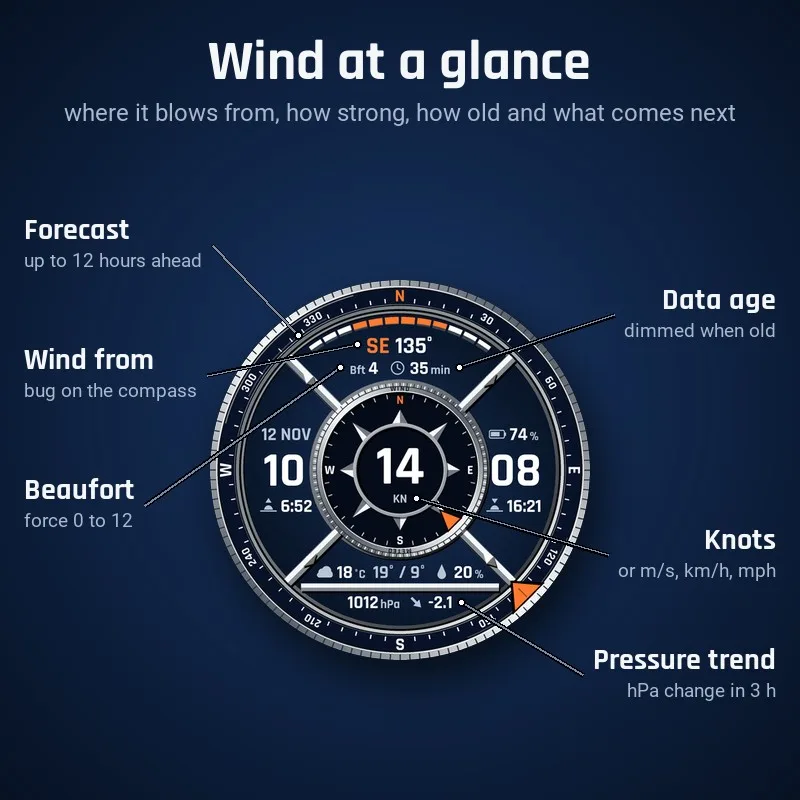
- Wind: speed in knots (or m/s, km/h, mph), direction as a bug on the compass bezel and in the medallion rose, in letters and degrees (SE 135°), and the Beaufort force
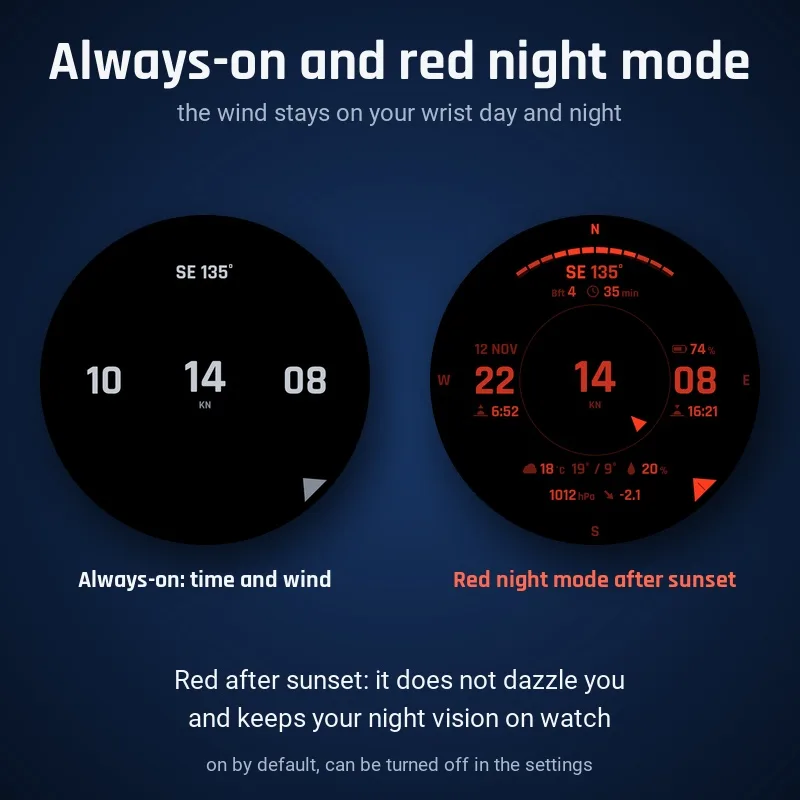
- Red night mode: after sunset the whole face turns red on black, so it does not dazzle you and keeps your night vision on watch (on by default, can be turned off)
- Data age always visible: wind older than 3 hours is dimmed with its age highlighted, after 12 h it shows --
- Wind forecast bar for up to 12 hours ahead, hours from 17 knots (5 Bft) highlighted
- Pressure in hPa with the 3-hour trend: arrow and change, highlighted when it changes fast
- Weather: condition icon, temperature, today's high / low and chance of rain
- Sunrise and sunset, date and battery
- Boat speed (SOG) in place of the date while a Sailing activity is running
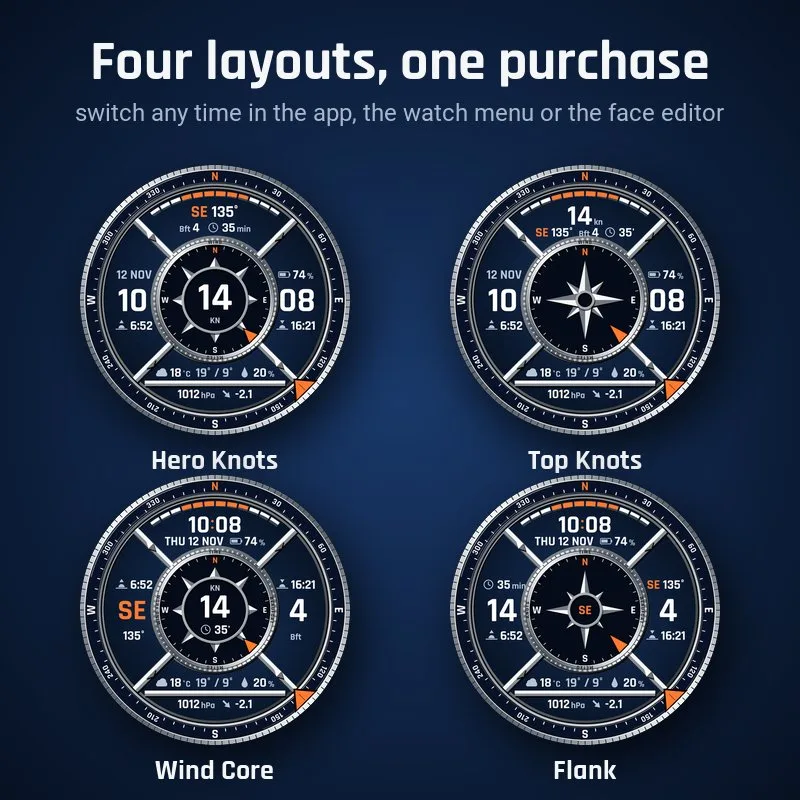
- Four layouts: Hero Knots, Top Knots, Wind Core and Flank
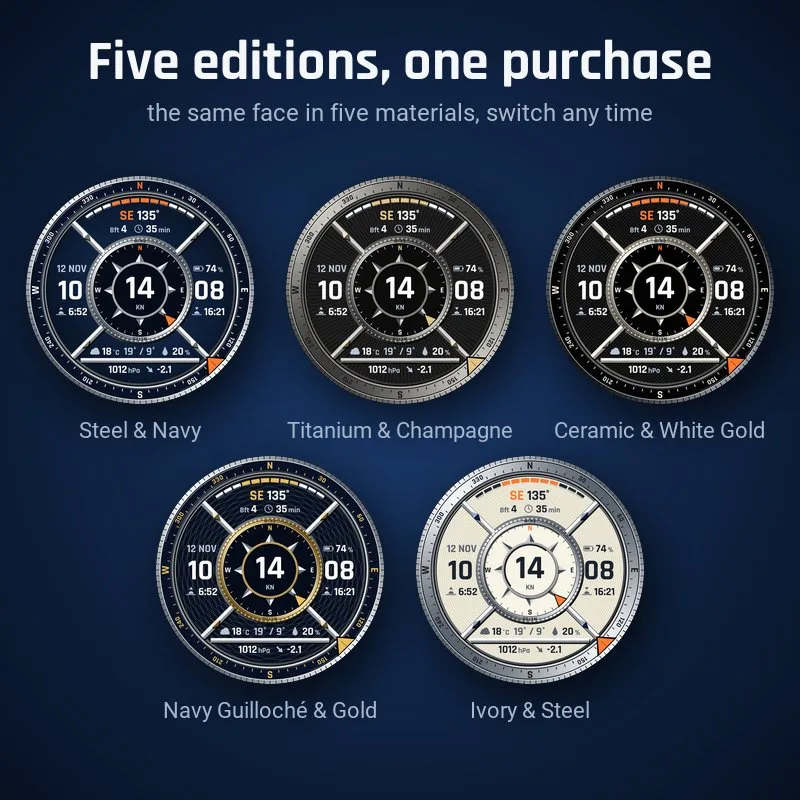
- Five editions: Steel & Navy, Titanium & Champagne, Ceramic & White Gold, Navy Guilloché & Gold and the light Ivory & Steel
- Always-on in three styles: time and wind, time and date, or time only; dark in every edition
- Touch and hold the wind, weather, pressure, sun, date or battery to open the matching Garmin overview (touchscreen watches, can be turned off)
- Drawn separately for 416, 454 and 466 px screens, nothing is scaled
- No internet needed on the watch, no API key, no subscription: no data leaves your watch
Runs on my watch?
Runs on 29 Garmin watches.
- Approach S70 47mm AMOLED
- Approach S72 43mm AMOLED
- Approach S72 47mm AMOLED
- D2 Air X10 AMOLED
- D2 Mach 1 AMOLED
- D2 Mach 2 AMOLED
- D2 Mach 2 Pro AMOLED
- Descent Mk3i 51mm AMOLED
- epix (Gen 2) / quatix 7 Sapphire AMOLED
- epix Pro (Gen 2) 47mm / quatix 7 Pro AMOLED
- epix Pro (Gen 2) 51mm / D2 Mach 1 Pro / tactix 7 - AMOLED Edition AMOLED
- fēnix 8 43mm AMOLED
- fēnix 8 47mm / 51mm / tactix 8 47mm / 51mm / quatix 8 47mm / 51mm AMOLED
- fēnix 8 Pro 47mm / 51mm / MicroLED / quatix 8 Pro 47mm / 51mm AMOLED
- fēnix 9 43mm AMOLED
- fēnix 9 47mm / 51mm AMOLED
- fēnix 9 Pro 43mm AMOLED
- fēnix 9 Pro 47mm AMOLED
- fēnix 9 Pro 51mm AMOLED
- fēnix E AMOLED
- Forerunner 265 AMOLED
- Forerunner 570 47mm AMOLED
- Forerunner 965 AMOLED
- Forerunner 970 AMOLED
- Instinct 3 AMOLED 50mm AMOLED
- Venu 2 AMOLED
- Venu 2 Plus AMOLED
- Venu 3 AMOLED
- Venu 4 45mm / D2 Air X15 AMOLED
Not in the list? Then this face does not run on your watch yet.
Questions
Why does the face turn red at night?
Red night mode keeps your night vision on watch after sunset. Turn it off in the Connect IQ app: Settings / Red night mode / Off (on watches without the face editor also in the watch menu).
Wind shows --?
The watch has no wind from Garmin weather, or it is older than 12 h. Give Garmin Connect location access and keep the watch connected.
No wind direction?
In calm (0 knots) there is no direction, so the bugs disappear.
What's new
- Version 1.0.1 Boat speed over ground (SOG) in knots (or your wind unit) now replaces the date while a Sailing activity is running. With no activity or with other activities the date stays.
- Version 1.0.0 First release: sailing wind watch face with wind in knots, a wind bug on the compass bezel, Beaufort, data age, wind forecast bar, pressure trend and weather; four layouts and five editions in one purchase, red night mode, three always-on styles, Garmin face editor support.
More from Navy
Something not working? See help or write to me