Navy Classic Pro
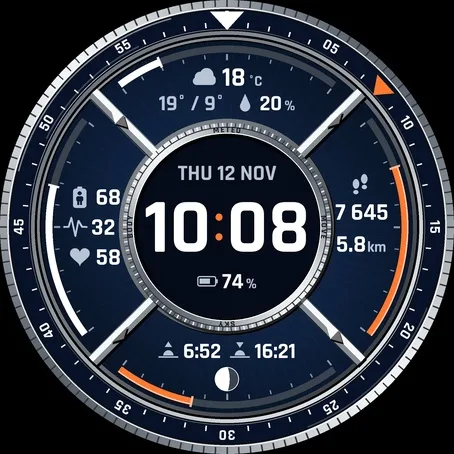
Analog GMT Moonphase
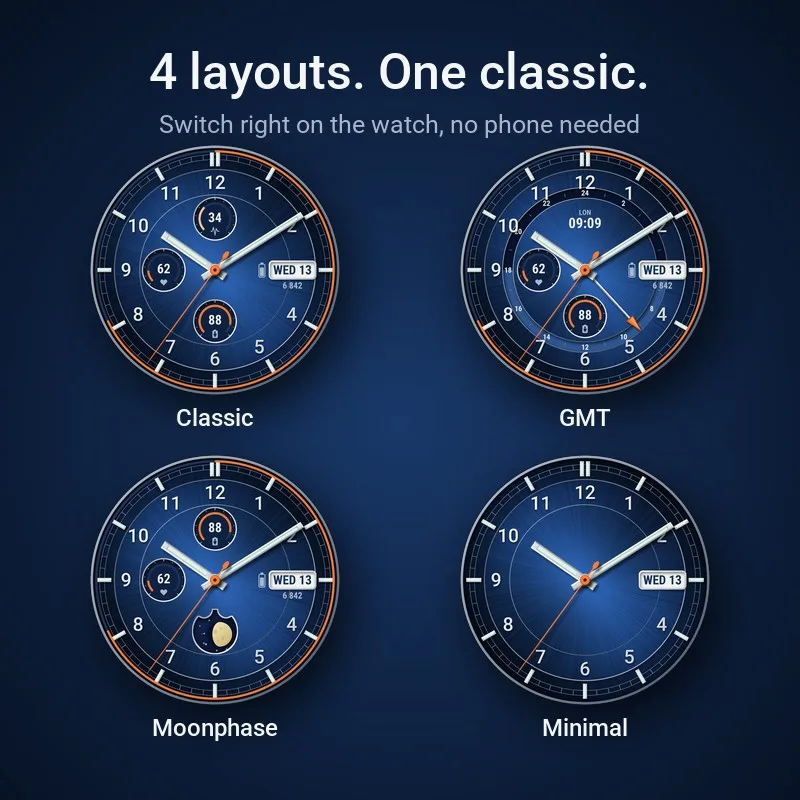
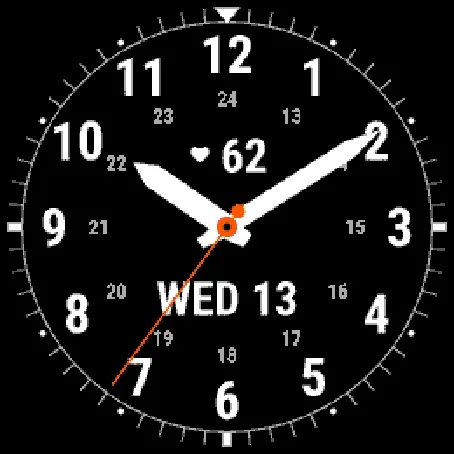
A classic analog watch face for your Garmin with four layouts: Classic, GMT, Moonphase and Minimal.
One-time purchase in the Connect IQ app on your phone, paid through Garmin. Garmin's payment is not available in every country.
Price in USD. The Connect IQ Store may show it converted to your currency.
Open on your phone
Scan the code with your phone to open Navy Classic Pro in the Connect IQ Store. You buy and install faces in the Connect IQ app on your phone.
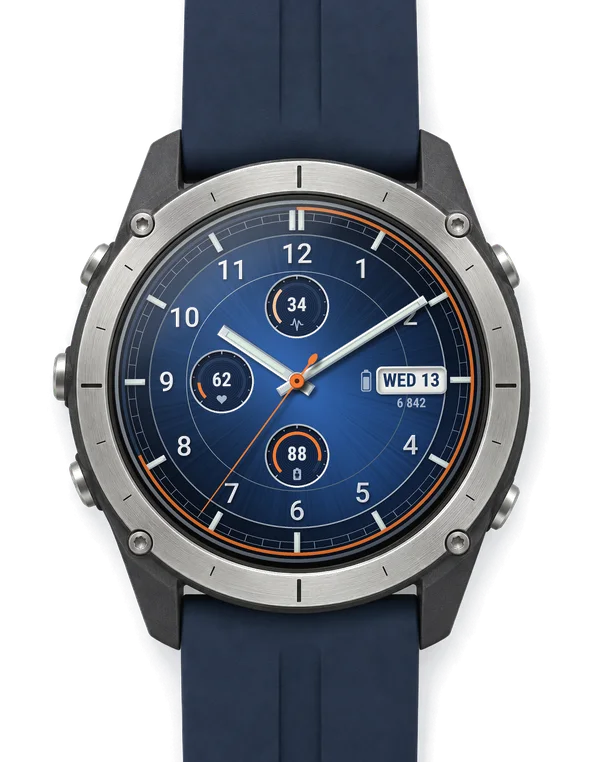
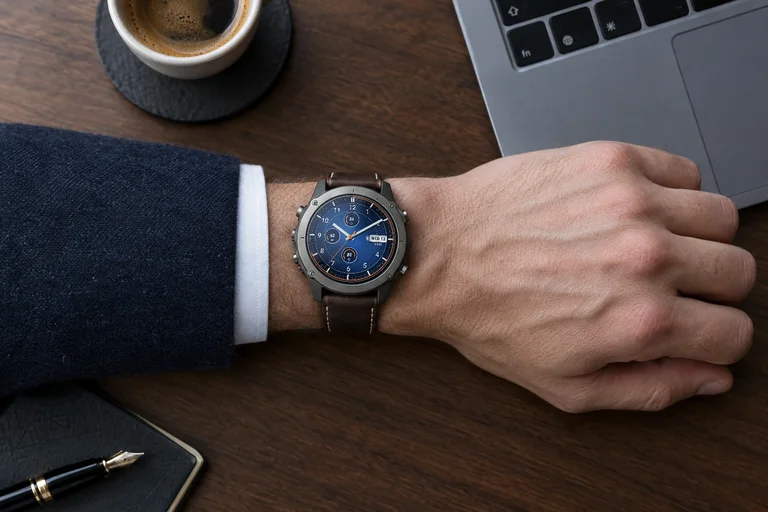
Look closer
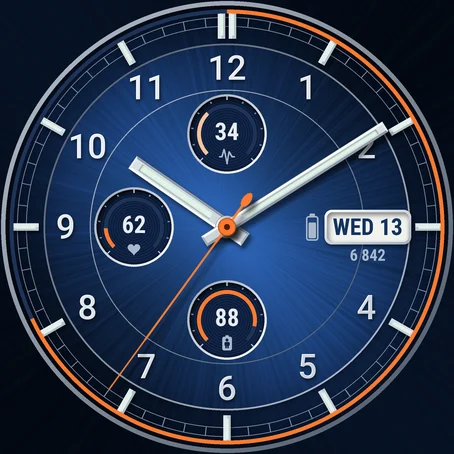
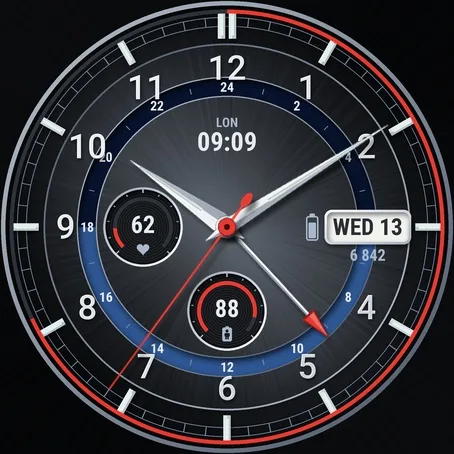
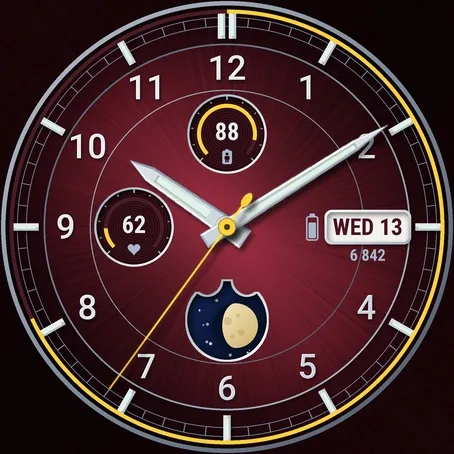
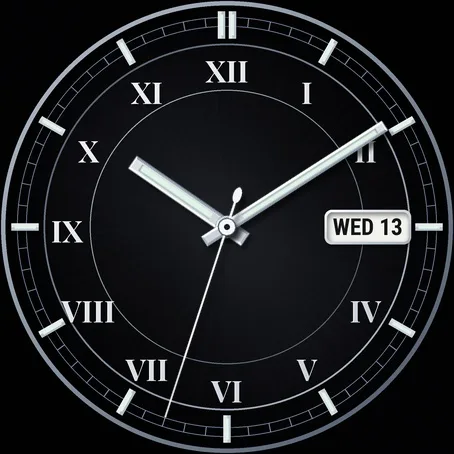
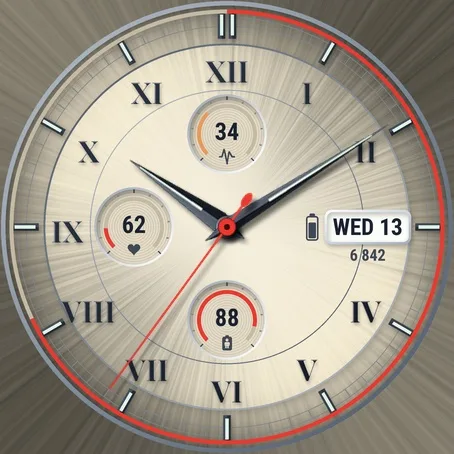
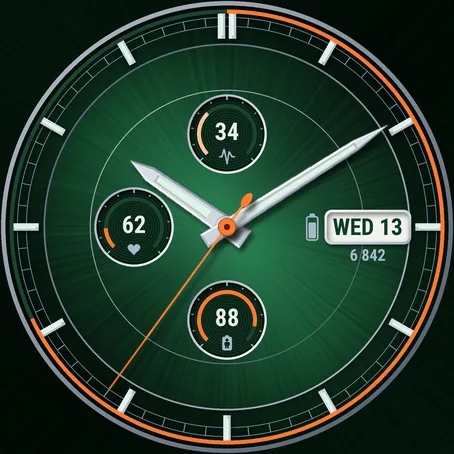
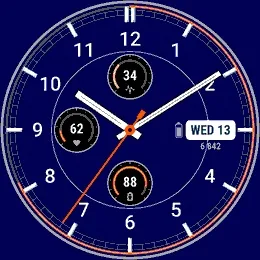
Screenshots from the Garmin simulator.
How to use
Install
- Install the Connect IQ app on your phone and sign in with your Garmin account.
- Search "Navy Classic Pro" in the Connect IQ app, open the face and tap Install (paid faces show the price first).
- Sync the watch in Garmin Connect, then pick the face on the watch in the watch face menu.
How to set it up
- Watches with Garmin's watch face editor (fenix 8 and newer, Venu 4, vivoactive 6 and others) long-press the face / Customize for layout, accent colour and subdials; dial colour, hands, numerals, day and night and second time zone city are in the Connect IQ app on your phone.
- Other watches watch face menu (hold MENU or long-press the screen) / Navy Classic Pro / settings, everything is there, no phone needed.
- Connect IQ app open the face / Settings / save. Not syncing? Restart watch and phone, then sync in Garmin Connect.
At a glance
What it does
- Four layouts switched on the watch: Classic (three subdials), GMT, Moonphase, Minimal (no subdials, step ring or battery)
- GMT: 24-hour ring and fourth hand for a second time zone (35 cities, automatic daylight saving time)
- Moonphase: moon phase computed from the date, correct on the southern hemisphere too
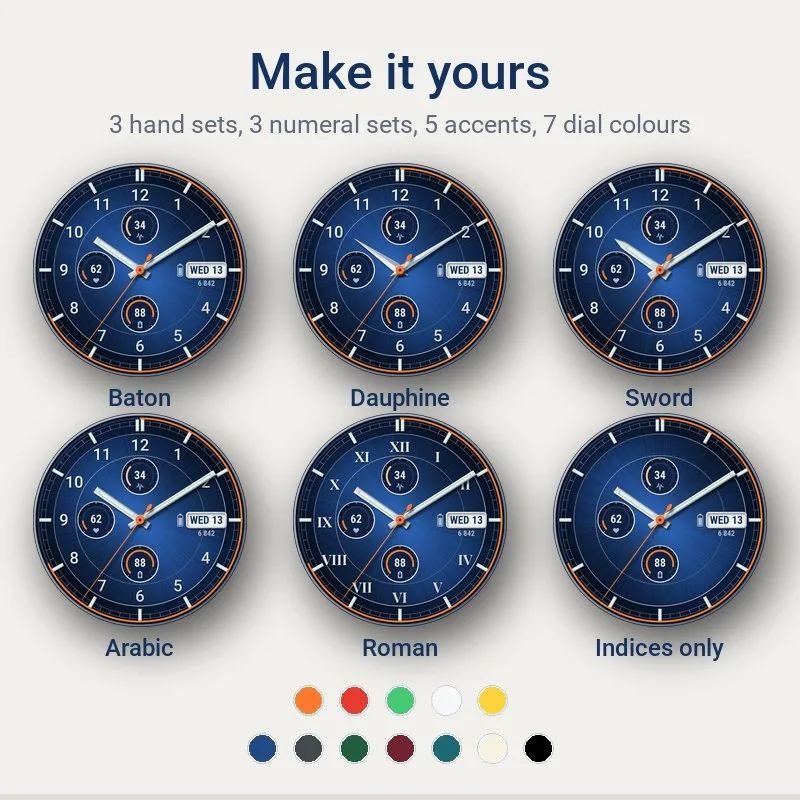
- Three hand sets (baton, dauphine, sword) and three numeral sets (arabic, roman, indices only)
- Five accent colours for seconds hand and arcs (orange, red, green, white, yellow), 7 dial colours: navy, graphite, green, burgundy, teal, ivory, black
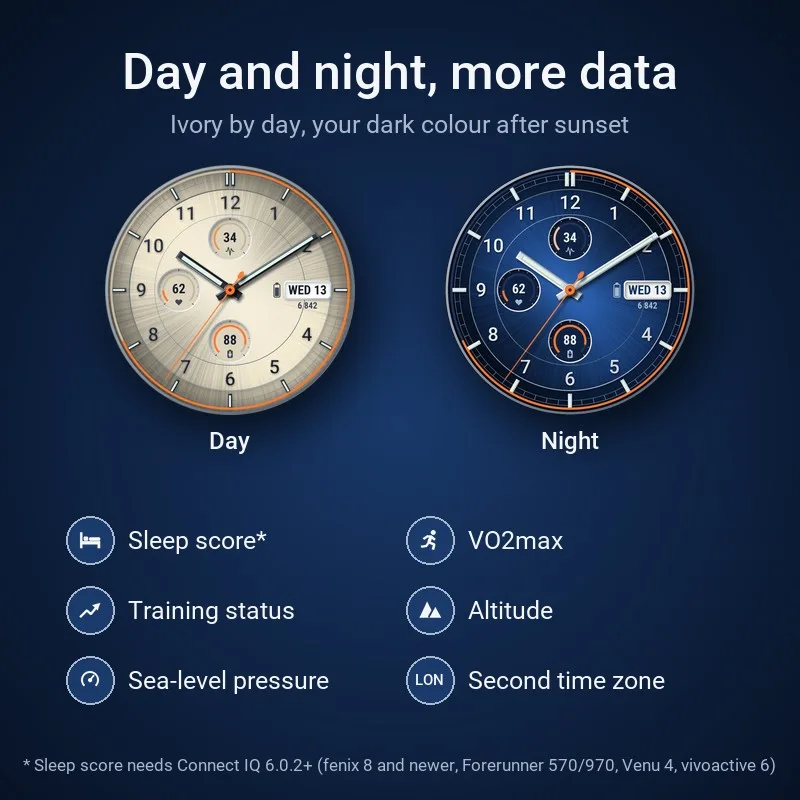
- Optional automatic day and night: ivory dial by day, your dark colour after sunset
- Three subdials, each with one of 21 values or empty: heart rate, stress, Body Battery, steps, floors, calories, intensity minutes, Pulse Ox, respiration, weather temperature, sunrise/sunset, notifications, recovery time, distance, watch battery, sleep score, VO2max, training status, altitude, sea-level pressure, second time zone
- Brushed dial centre with a polished ring and a rail minute track
- Seconds hand can be turned off
- Touch and hold a subdial, the date or the battery to open its Garmin widget (touchscreen watches)
- Step ring filling up to your daily goal (with count, ring only or hidden)
- Date at 3 o'clock: day and date, date and month, or week number
- Battery as icon, percent or days left, optional icons for phone connection, Do Not Disturb and notifications, bell when an alarm is set
- Always-on on AMOLED in three styles (hands, numerals and date / hands and date / hands only), flat version for MIP displays
- No data leaves your watch
Runs on my watch?
Runs on 68 Garmin watches.
- Approach S50 AMOLED
- Approach S70 42mm AMOLED
- Approach S70 47mm AMOLED
- Approach S72 43mm AMOLED
- Approach S72 47mm AMOLED
- D2 Air X10 AMOLED
- D2 Mach 1 AMOLED
- D2 Mach 2 AMOLED
- D2 Mach 2 Pro AMOLED
- Descent G2 AMOLED
- Descent Mk3 43mm / Mk3i 43mm AMOLED
- Descent Mk3i 51mm AMOLED
- Enduro 3 MIP
- Enduro 4 MIP
- epix (Gen 2) / quatix 7 Sapphire AMOLED
- epix Pro (Gen 2) 42mm AMOLED
- epix Pro (Gen 2) 47mm / quatix 7 Pro AMOLED
- epix Pro (Gen 2) 51mm / D2 Mach 1 Pro / tactix 7 - AMOLED Edition AMOLED
- fēnix 7 / quatix 7 MIP
- fēnix 7 Pro MIP
- fēnix 7 Pro - Solar Edition (no Wi-Fi) MIP
- fēnix 7S MIP
- fēnix 7S Pro MIP
- fēnix 7X / tactix 7 / quatix 7X Solar / Enduro 2 MIP
- fēnix 7X Pro MIP
- fēnix 7X Pro - Solar Edition (no Wi-Fi) MIP
- fēnix 8 43mm AMOLED
- fēnix 8 47mm / 51mm / tactix 8 47mm / 51mm / quatix 8 47mm / 51mm AMOLED
- fēnix 8 Pro 47mm / 51mm / MicroLED / quatix 8 Pro 47mm / 51mm AMOLED
- fēnix 8 Solar 47mm MIP
- fēnix 8 Solar 51mm / tactix 8 Solar 51mm MIP
- fēnix 9 43mm AMOLED
- fēnix 9 47mm / 51mm AMOLED
- fēnix 9 Pro 43mm AMOLED
- fēnix 9 Pro 47mm AMOLED
- fēnix 9 Pro 51mm AMOLED
- fēnix 9 Pro Solar 47mm MIP
- fēnix 9 Pro Solar 51mm MIP
- fēnix E AMOLED
- Forerunner 165 AMOLED
- Forerunner 165 Music AMOLED
- Forerunner 170 AMOLED
- Forerunner 170 Music AMOLED
- Forerunner 255 MIP
- Forerunner 255 Music MIP
- Forerunner 255s MIP
- Forerunner 255s Music MIP
- Forerunner 265 AMOLED
- Forerunner 265s AMOLED
- Forerunner 570 42mm AMOLED
- Forerunner 570 47mm AMOLED
- Forerunner 70 AMOLED
- Forerunner 955 / Solar MIP
- Forerunner 965 AMOLED
- Forerunner 970 AMOLED
- Instinct 3 AMOLED 45mm AMOLED
- Instinct 3 AMOLED 50mm AMOLED
- MARQ (Gen 2) Athlete / Adventurer / Captain / Golfer / Carbon Edition / Commander - Carbon Edition AMOLED
- MARQ (Gen 2) Aviator AMOLED
- Venu 2 AMOLED
- Venu 2 Plus AMOLED
- Venu 2S AMOLED
- Venu 3 AMOLED
- Venu 3S AMOLED
- Venu 4 41mm AMOLED
- Venu 4 45mm / D2 Air X15 AMOLED
- vívoactive 5 AMOLED
- vívoactive 6 AMOLED
Not in the list? Then this face does not run on your watch yet.
Questions
Temperature in °F or time in 12 h?
The face follows the units and time format in your watch system settings.
No weather, temperature or sunrise?
They come from your phone: give Garmin Connect location access and keep the watch connected; after a sync it can take a few minutes.
Seconds hand in always-on?
Not on AMOLED, Garmin refreshes always-on once a minute. On MIP watches it keeps running in low-power mode if the watch can afford it.
Why does sleep score show --?
It needs Connect IQ 6.0.2 or newer (e.g. fenix 8, Venu 4). Older watches like fenix 7 or Forerunner 255 don't pass it to watch faces; choose another value.
How do I choose the second time zone?
Settings / Second time zone city. GMT shows it on the 24-hour ring and fourth hand, it can also go into a subdial.
What's new
- Version 1.0.1 Fix: sunrise and sunset showed -- instead of the time. The automatic day and night switch did not change because of it either. They now come straight from the watch (Connect IQ 4.2 and newer).
- Version 1.0.0 First release of Navy Classic Pro: four layouts (Classic, GMT, Moonphase, Minimal), three hand sets, three numeral sets, five accent colours, optional automatic day and night, new data (sleep score (on watches with Connect IQ 6.0.2 or newer), VO2max, training status, altitude, sea-level pressure, second time zone) and a seconds hand that keeps running in MIP low-power mode (when your watch allows it).
More from Navy
Something not working? See help or write to me